Optical trigger for OBS

Your stream, in sync with your game.

OpticCue watches your game's HUD and fires an OBS overlay the instant something happens — a heavy bleed, a knockout, a clutch. It reads your screen the same way OBS does. Never your game's memory. Never the internet.

Free · Windows · works with OBS

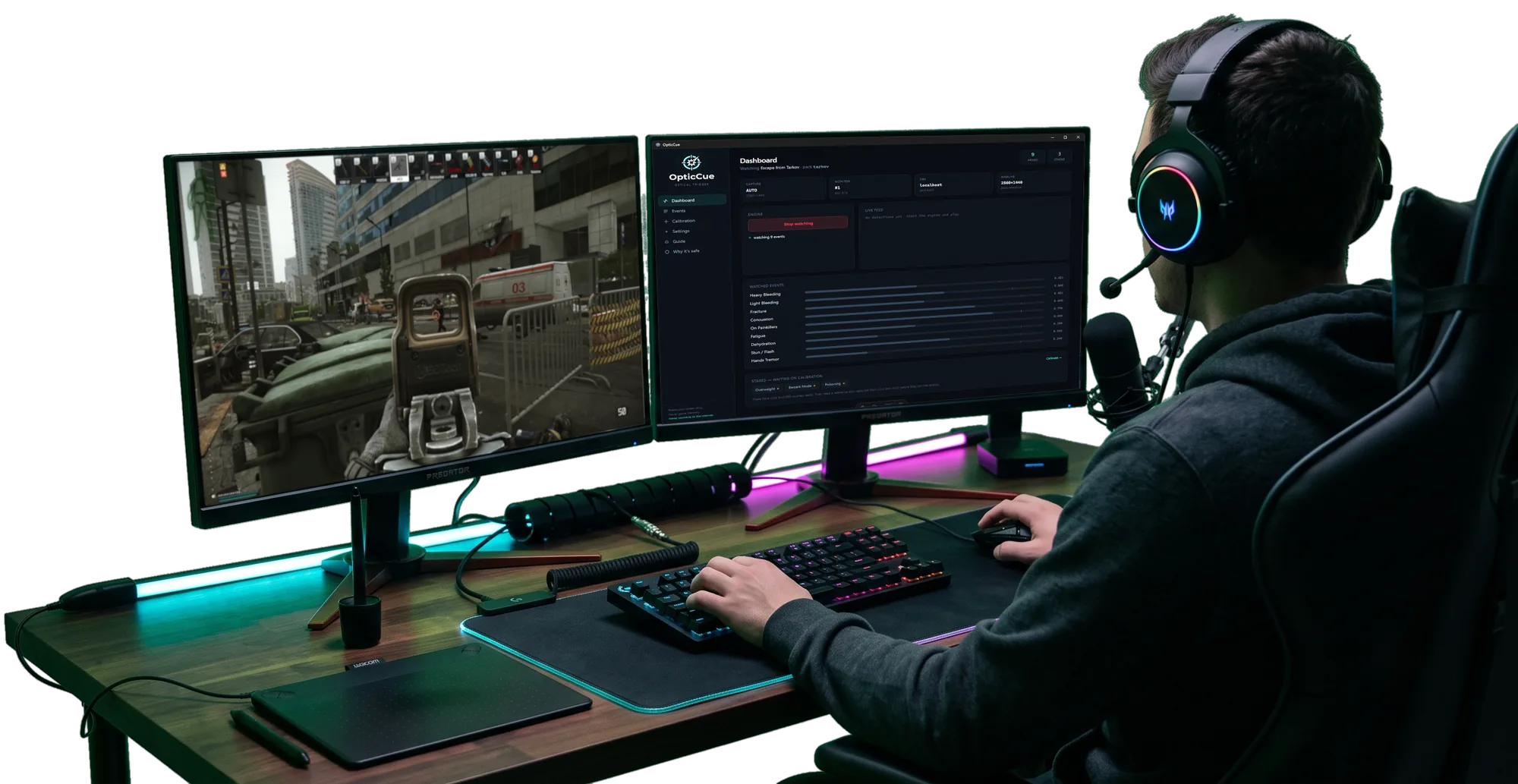
Real raid — a heavy bleed fires the overlay, untouched

Reads your screen only

Detection is purely optical — the same kind of screen access OBS already uses to capture your gameplay.

Never touches game memory

Nothing is injected or hooked. From the game's point of view OpticCue isn't there — which is what keeps it anti-cheat-safe.

Never connects to the internet

No telemetry, no accounts, no update pings. It talks to OBS on your own machine and nothing else.

How it works

Point it at a HUD icon. It does the rest.

OpticCue watches a small region of your screen for a specific icon. When it appears, it triggers your overlay and restarts the clip — then hides it. That's the whole loop.
1

Watch

Draw a box around where an icon appears — a bleed, a knockout, a status effect. Snap a reference from your own HUD in seconds.

2

Detect

The moment that icon shows up on screen, OpticCue sees it — optically, with no memory reads and no input to your game.

3

Fire

Your OBS overlay pops — a meme, a clip, a sound — plays once, and auto-hides. Fires on the moment it starts, not on a loop.

Inside the app

A dashboard, not a config file.

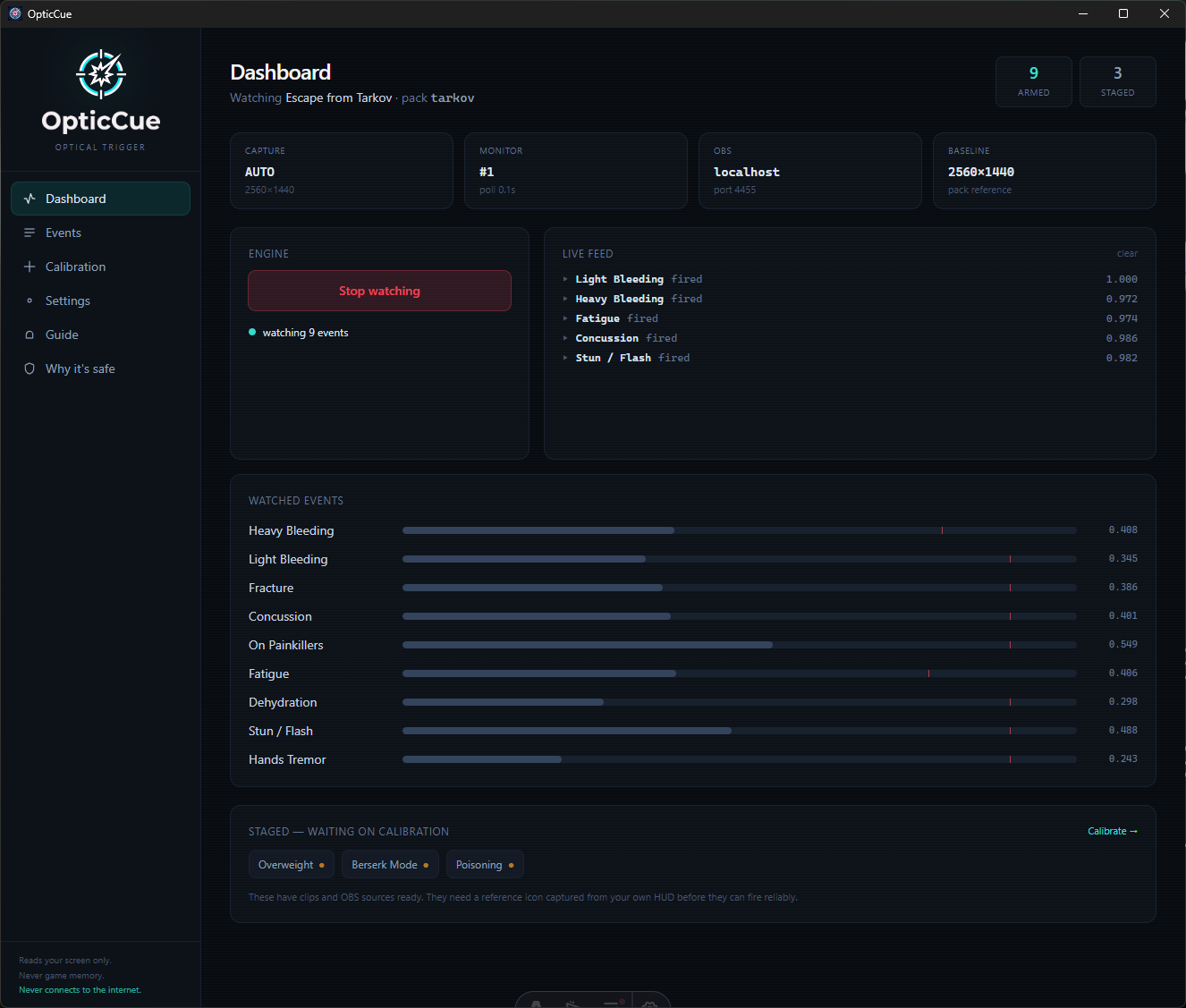
Map an icon to a clip, watch it fire, tune it live — all in one window you can safely alt-tab to mid-stream.

OpticCue dashboard watching Escape from Tarkov, with events firing in a live feed
The dashboard, watching a live raid — events firing in real time as icons appear.
Game pack picker with Tarkov active and more games coming
One tool, many games — pick a pack or make your own.
Event mapping screen with per-event placement
Map each event to a clip, caption, sound and position.
Calibration screen snapping a reference from your own HUD
Calibrate against your own HUD in a couple of clicks.
Why it's safe screen explaining the guarantees
Every safety promise, spelled out and checkable.

Game packs

One tool. Any game.

OpticCue isn't built for one game. A pack is just the set of HUD icons for a game — and you can make your own for anything, or install one someone shared.

  • Ships with a ready-made pack — enable an event and go.
  • Add any game yourself: draw a box, snap the icon, done.
  • Share a pack as a single file — it carries icons, never your clips or settings.
  • Every event is edge-triggered, so a long status won't spam your stream.
OpticCue

Built for streamers

You're the target. So we built it to be checkable.

Streamers get targeted and attacked by nefarious actors and trolls, so vague reassurance isn't enough. Every promise OpticCue makes is something you can verify yourself — watch its network activity, read the config, check the download hash.

Anti-cheat-safe by design

It never reads game memory and never sends input. It shows a clip in your OBS scene — that's it.

Your secrets stay yours

Your OBS password is encrypted on your machine and never shown in the app — safe to alt-tab to while live.

Signed & verifiable

Every release is code-signed and ships a published hash, so you always know a download is really ours.

Launching soon

Be first to know when it's live.

OpticCue is almost ready. Drop your email and we'll send one message the day it launches — no list-selling, no spam, no phoning home (fittingly).

Free at launch · If it earns a spot in your stream, there's a tip jar — entirely optional.